Can I turn a PDF into a diagram I can edit?
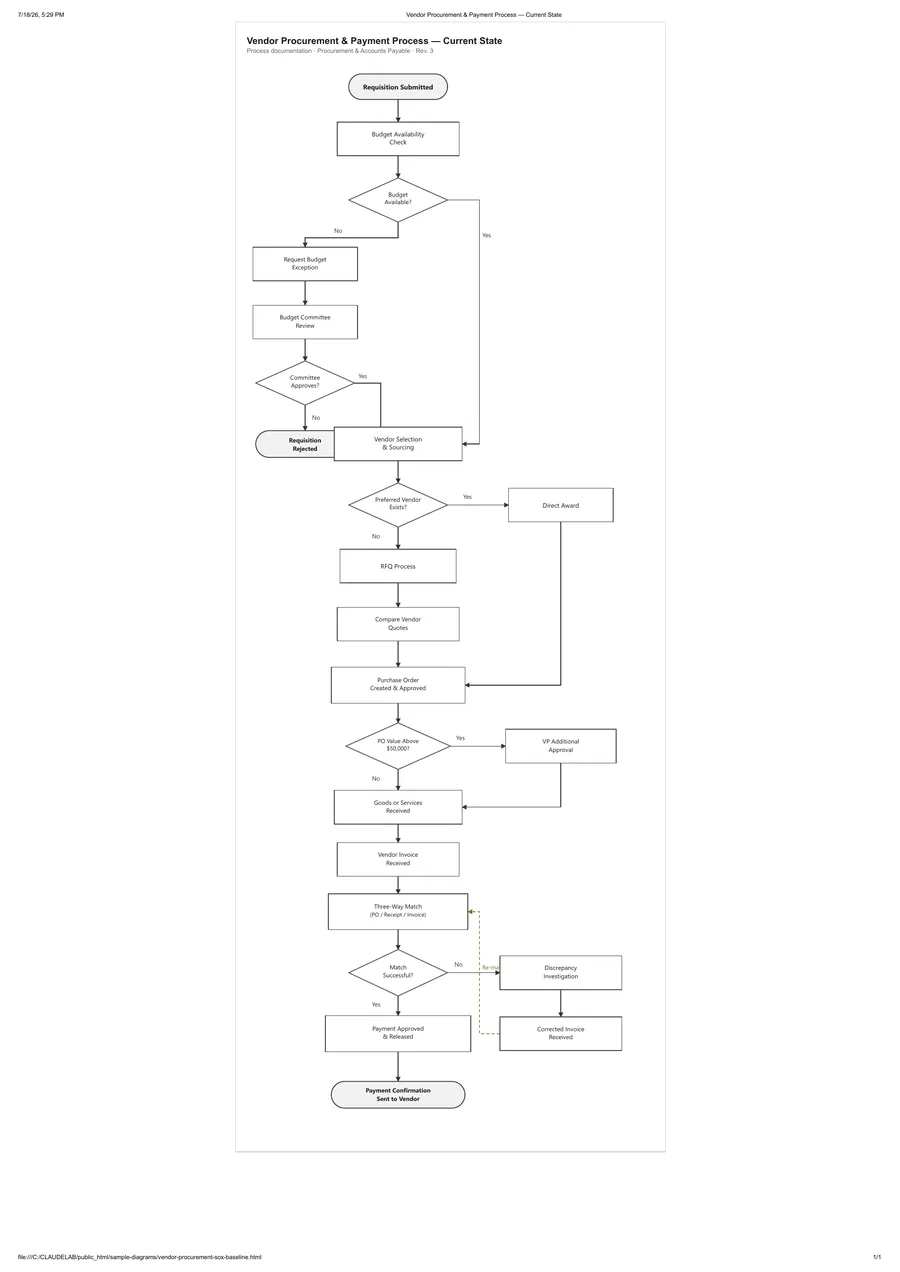
Yes. Open the PDF with Open file, and TazzoGram reads the diagram on its pages and gives it back as a diagram you can change by typing or saying what should change.
How it works
- Find the PDF that holds the diagram (an old procedure, a scan, a printout saved as PDF).
- In TazzoGram, click Open file and choose the PDF.
- TazzoGram reads the steps, decisions and arrows and draws the diagram. Then type a change and click Apply.
Good to know
- TazzoGram reads a PDF like a picture, page by page. A very long PDF is refused, so send only the pages with the diagram.
- Words that are hard to read are marked with ⚠, so you know which ones to check.
- The PDF is read by Anthropic's Claude to do the work, and TazzoGram does not use it to train any model.
- If you still have the original file the PDF was made from (Visio, draw.io, BPMN), open that one instead: its words come in exactly as typed.
Questions
Can I edit a flowchart that only exists as a PDF?
Yes. TazzoGram turns it into a diagram you change by asking, and you can save it as Visio, BPMN, draw.io or a new PDF.
Does TazzoGram work with scanned PDFs?
Yes, a scan is read like a photo. The sharper the scan, the better the result.
Other files TazzoGram opens: Whiteboard photo · draw.io · BPMN · Mermaid · SVG
More answers: Questions and answers · Plans & Pricing · Customer Support · Privacy Policy