Can I turn an SVG image of a diagram into a diagram I can edit?
Yes. Open the .svg file in TazzoGram with Open file, and you get a diagram you can change by typing or saying what should change.
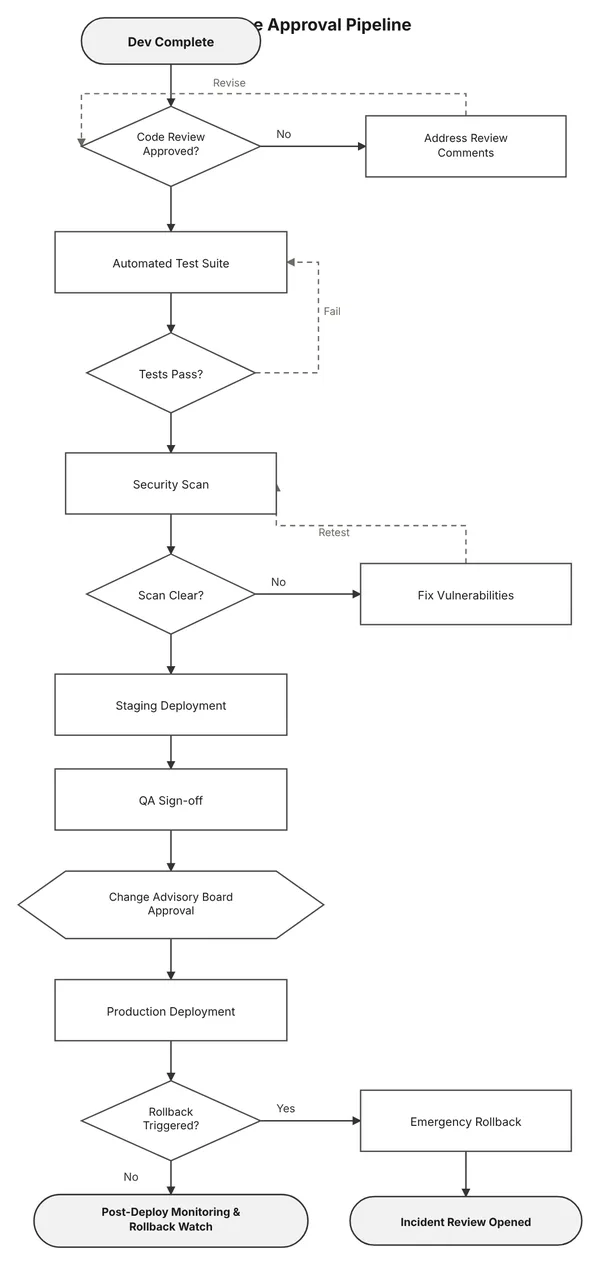
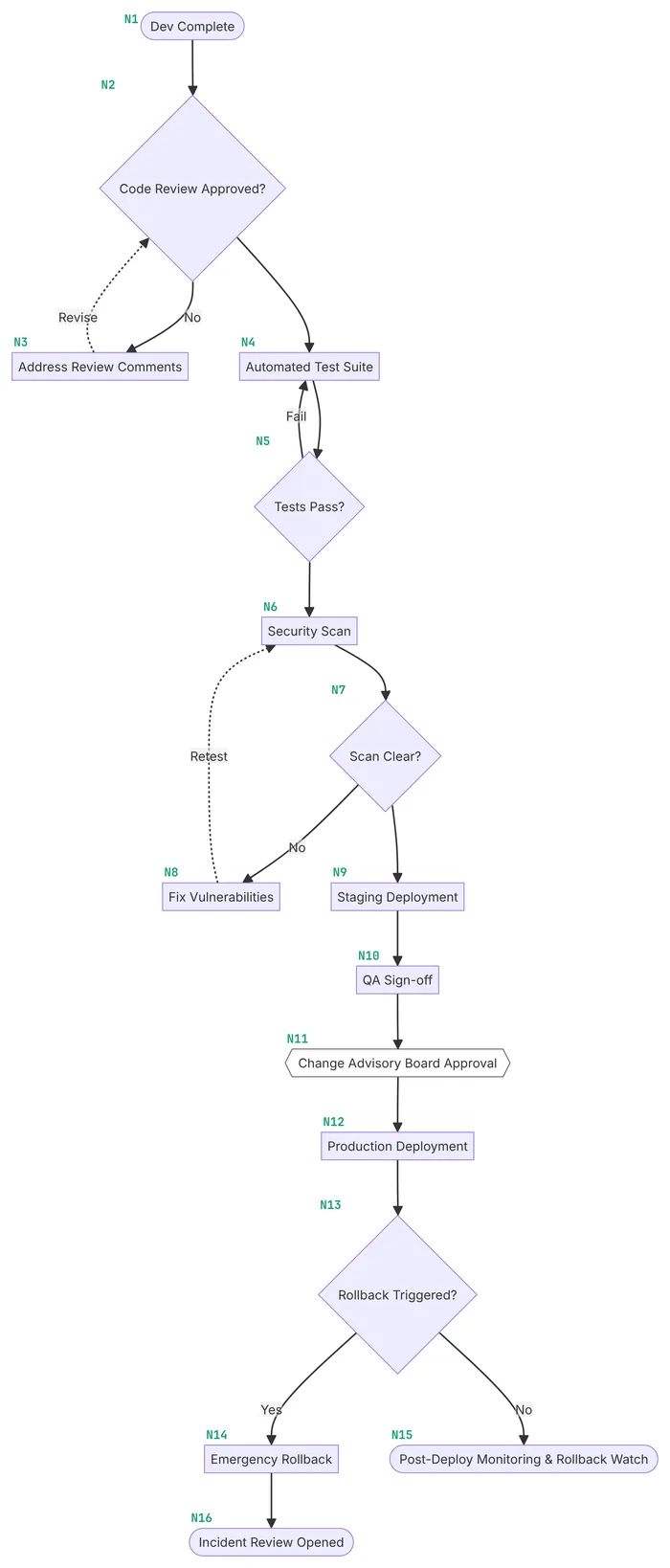
How it works
- In TazzoGram, click Open file and choose the .svg file.
- TazzoGram reads the boxes, arrows and words of the picture and draws the diagram.
- Type a change and click Apply. Save it as Visio, BPMN, draw.io or PDF.
Good to know
- An SVG keeps its words as text, so they come in exactly as typed, with no guessing.
- An .svg saved from draw.io opens right here in your browser and never leaves your computer. Any other .svg is read by Anthropic's Claude to do the work, and TazzoGram does not use it to train any model.
- Have a Visio drawing? In Visio, use File, Save As, SVG, then open that file in TazzoGram. Visio saves one page per SVG file.
- An .svg saved from TazzoGram opens again exactly as it was.
Questions
How do I bring a Visio diagram into TazzoGram?
In Visio, save the page as SVG (File, Save As, SVG), then open that file in TazzoGram. TazzoGram also saves your diagram as a Visio file (.vsdx).
Is an SVG better than a PNG for this?
Yes. An SVG holds its words as text, so nothing has to be read from a picture.
Other files TazzoGram opens: Whiteboard photo · PDF · draw.io · BPMN · Mermaid
More answers: Questions and answers · Plans & Pricing · Customer Support · Privacy Policy